Design Stunning Cosmetic Labels in Canva with This Template
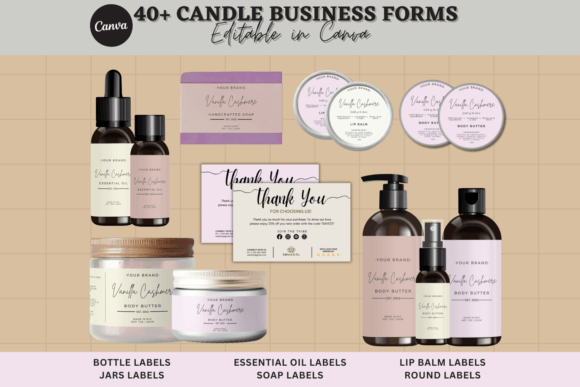
First impressions are everything, especially in the crowded beauty and skincare market. Your product's label is more than just a sticker; it's a silent ambassador for your brand, a critical touchpoint that communicates quality, professionalism, and your unique story before a customer ever opens the bottle. For small business owners, indie formulators, and creative entrepreneurs, crafting that perfect label from scratch can be a daunting task. This is where a well-designed Cosmetic Product Label Template Canva solution becomes an invaluable asset, providing a professional foundation that you can adapt and make entirely your own.
This particular template is engineered for impact and ease of use. It offers a sleek, modern aesthetic that serves as a versatile canvas for a wide range of beauty products—from luxurious serums and artisanal lotions to boutique candles and spa essentials. The true power lies in its seamless integration with Canva, the free, user-friendly design platform. This means you don't need advanced graphic design skills or expensive software to achieve a high-end look. The template is fully editable: you can change every text element, adjust colors to match your brand palette, swap fonts, and modify the background. All you need is a free Canva account to start transforming this professional base into a label that feels authentically yours.
Beyond the Bottle: A Multitude of Creative Applications
While its primary purpose is for packaging design, the principles and visual components of this label template have applications that extend far beyond a single product. The clean layout and balanced composition make it an excellent starting point for developing a cohesive brand identity. The typography choices, color scheme, and graphic elements you establish on your label can be carried over to create:
- Social Media Graphics: Use the same fonts and colors to design Instagram stories, Facebook posts, or Pinterest pins that announce a new product launch or share behind-the-scenes content.
- Marketing Assets: Create consistent flyers, email headers, or discount cards that look like they belong to the same family as your product.
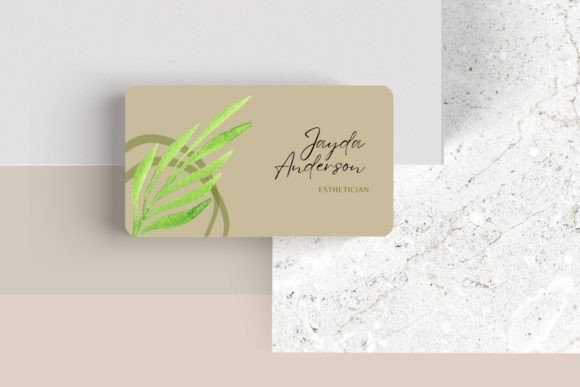
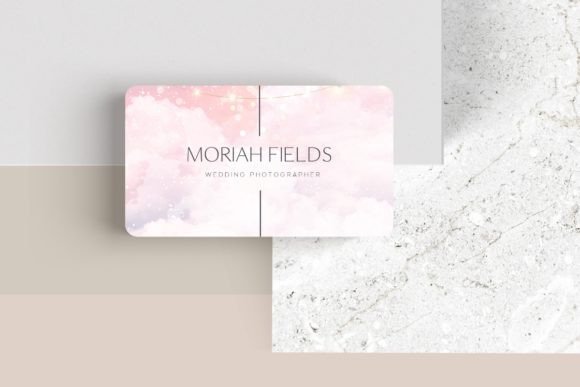
- Print Materials: Design business cards, thank-you notes, or small instruction cards that accompany orders, reinforcing your brand's professional image.
- Digital Presence: The template's aesthetic can inspire the look of your website's hero section, blog graphics, or even digital product mockups for online courses or e-books related to your niche.
Think of the label not as an isolated element, but as the cornerstone of your visual communication. By starting with a strong, adaptable template, you ensure consistency across every customer touchpoint, which is fundamental for building recognition and trust.
Matching Typography to Your Brand's Personality
The fonts you choose are the voice of your brand. This template provides a framework, but the customization allows you to dial in the exact tone you need. Consider your target audience and product positioning:
- For a Luxurious, Timeless Feel: Lean into elegant serif fonts. These typefaces, with their small decorative strokes, evoke tradition, reliability, and sophistication—perfect for anti-aging serums, premium makeup lines, or heritage-inspired brands.
- For a Clean, Modern, and Minimalist Look: Opt for sans serif fonts. Their lack of decorative strokes gives them a sleek, contemporary feel. They are highly readable and work exceptionally well for skincare brands, gender-neutral products, or any line that wants to appear approachable and current.
- For a Personal, Artisanal, or Handcrafted Vibe: Incorporate a script font or handwritten font for accents like your brand name or a tagline. Use these sparingly to avoid sacrificing readability, pairing them with a simple sans serif for detailed information like ingredients or instructions.
A pro tip is to limit yourself to two, or at most three, typefaces. Use one for major headings (like your product name) and another for body text (ingredients, volume). This creates hierarchy and ensures your label is easy to scan quickly—a crucial factor when a customer is browsing a shelf.
Practical Steps for a Professional Result
Using the template is just the beginning. To ensure your final product is polished and market-ready, follow these practical steps:
- Prioritize Readability Above All: A beautiful font is useless if customers can't read it. Test your design at the actual print size. Check the contrast between your text color and background. Avoid overly decorative fonts for essential information.
- Test Your Font Pairings: In Canva, experiment with different combinations. Does a bold sans serif headline work well with a light serif body copy? Does a script accent font clash with your chosen primary typeface? Save a few versions and compare them side-by-side.
- Review All Included Elements: The template likely comes with more than just text boxes. Look for decorative lines, shapes, or placeholder graphics. Decide which ones enhance your design and which ones should be deleted to maintain a clean layout that reflects your brand's style.
- Consider Commercial Licensing: This is a critical, often overlooked step. The template itself is for commercial use, allowing you to sell products with the final design. However, if you add any additional graphics, icons, or premium fonts from within Canva or external sources, double-check their licensing. Most assets in Canva's free library are okay for commercial use, but it's your responsibility to verify. When in doubt, use resources you've licensed specifically for commercial projects.
By approaching the design process thoughtfully—viewing the Cosmetic Product Label Template Canva